
How it works
Five steps at the counter
From the moment a customer walks in to the moment the application is lodged, KAARYU keeps the work in order. Your centre still lodges every application, as you do today.
-
Step 1
Start the service.
Pick the service and see exactly what it needs before anything is collected.
The operator enters the customer's mobile number and chooses the service. Nothing about the customer is looked up before they share the one-time code.
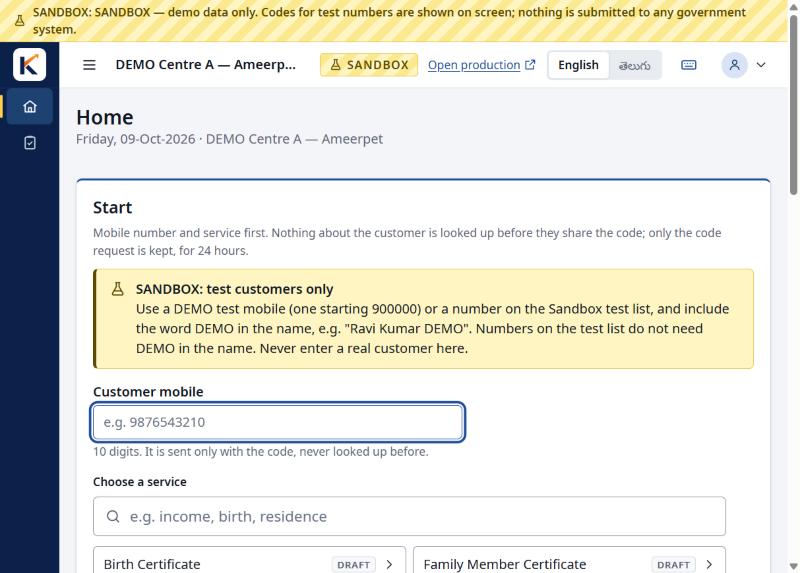
Sandbox screenshot, demo data -
Step 2
Customer consent.
The customer confirms with a one-time code sent to their mobile. Only what this application needs is asked.
KAARYU shows what the service needs: the details it will ask and the documents to bring. You can print the list for the customer.
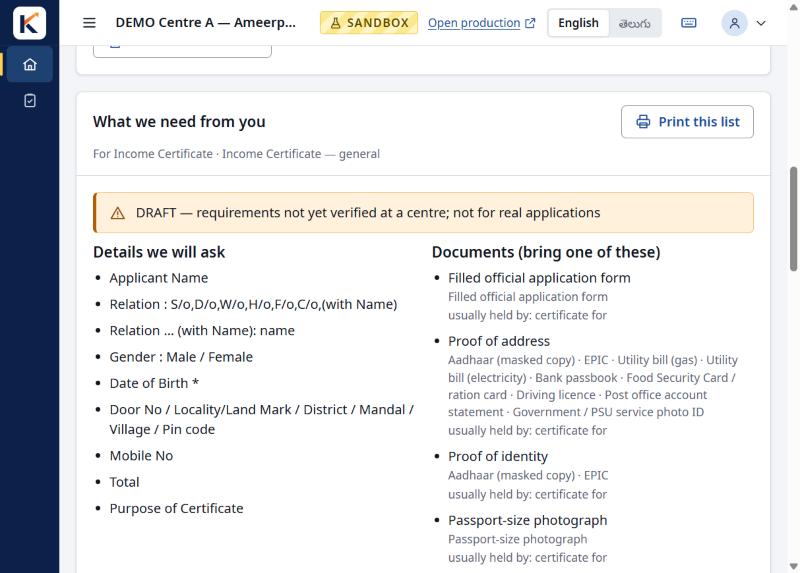
Sandbox screenshot, demo data -
Step 3
Details and documents.
Enter each detail once. Upload or photograph documents. Records saved at your centre can be reused with the customer's consent.
Each value can be marked as confirmed by the customer, and the operator ticks "I saw the original" for each document.
In pilot Local text reading (OCR) can read document images in English, Telugu, Kannada and Hindi scripts and suggest values to fill in. A voter ID, PAN card and some other documents can be read this way to save typing. Every value is confirmed by a person before it is used.
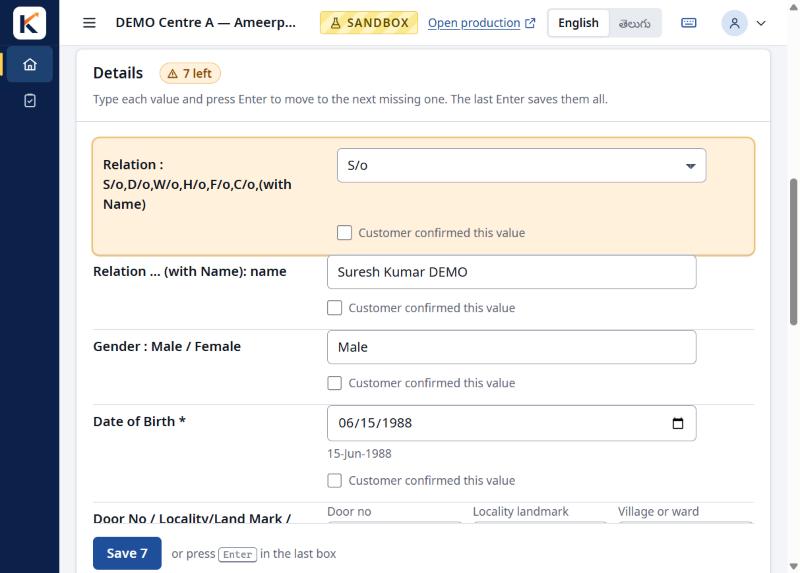
Sandbox screenshot, demo data 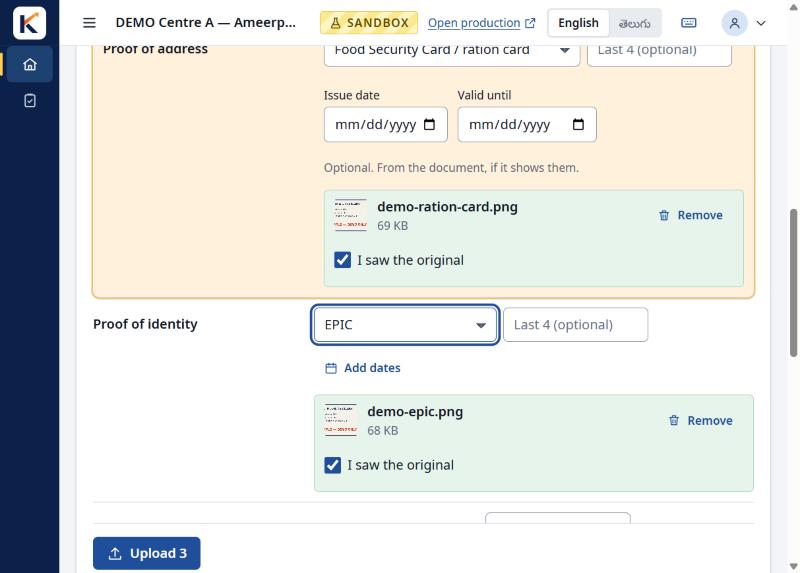
Sandbox screenshot, demo data -
Step 4
Check and review.
KAARYU lists anything missing or out of date. You go through the application with the customer before printing.
The step bar shows what is done, and the Review page shows every detail with whether the customer confirmed it or the operator entered it.
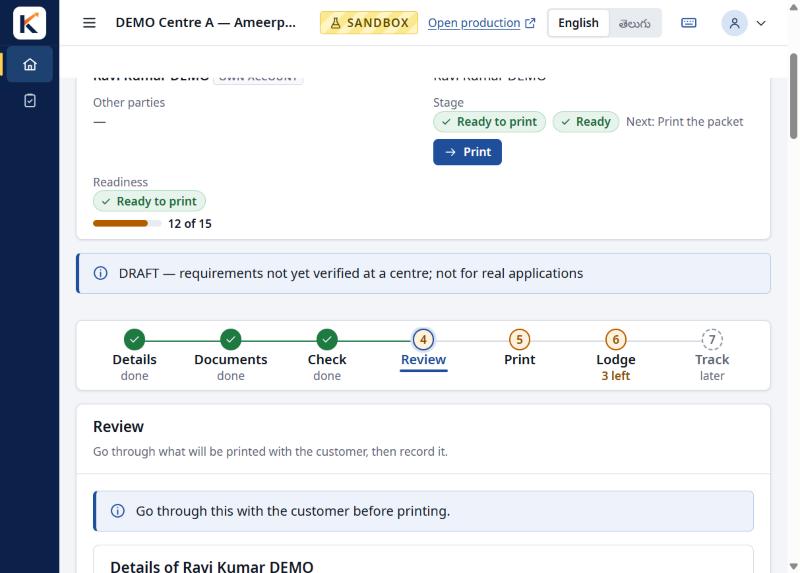
Sandbox screenshot, demo data 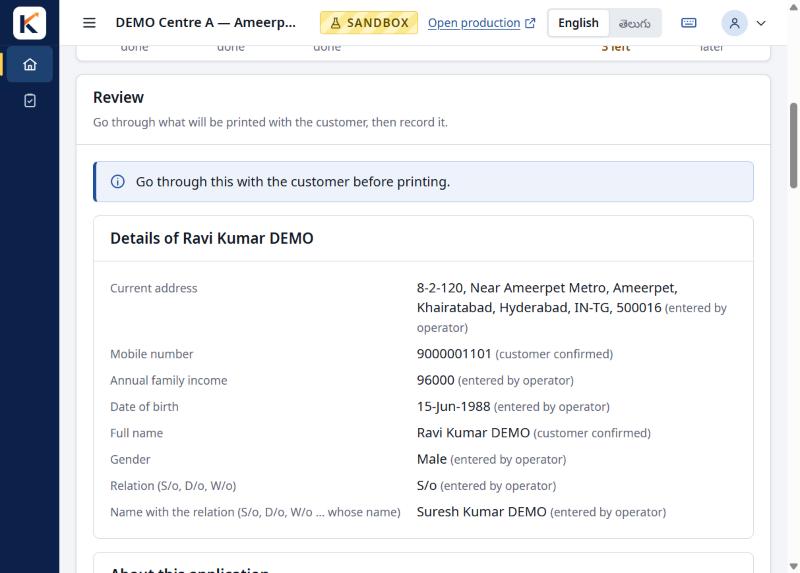
Sandbox screenshot, demo data -
Step 5
Print, lodge and record.
Print the packet, lodge it at the office or portal as you do today, then record the receipt and follow-ups in KAARYU.
Tasks done by hand at the counter, such as the self-declaration and signatures, are recorded before the application is lodged.
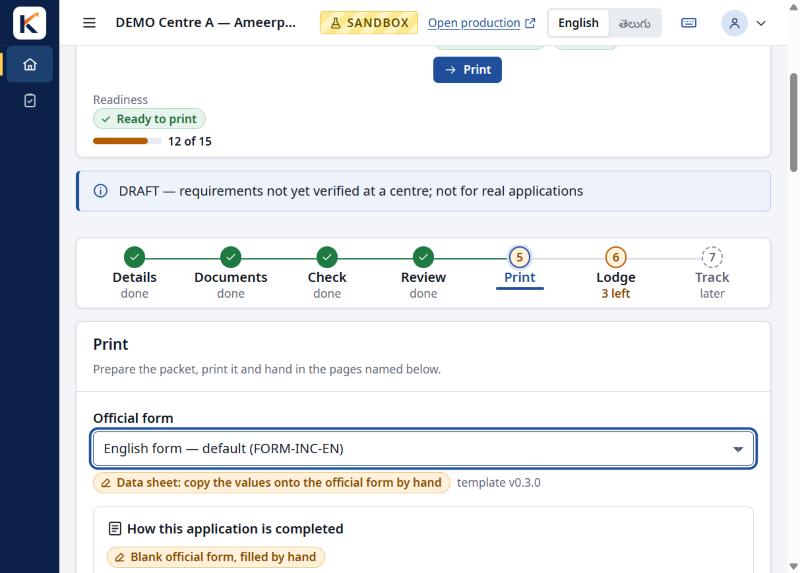
Sandbox screenshot, demo data 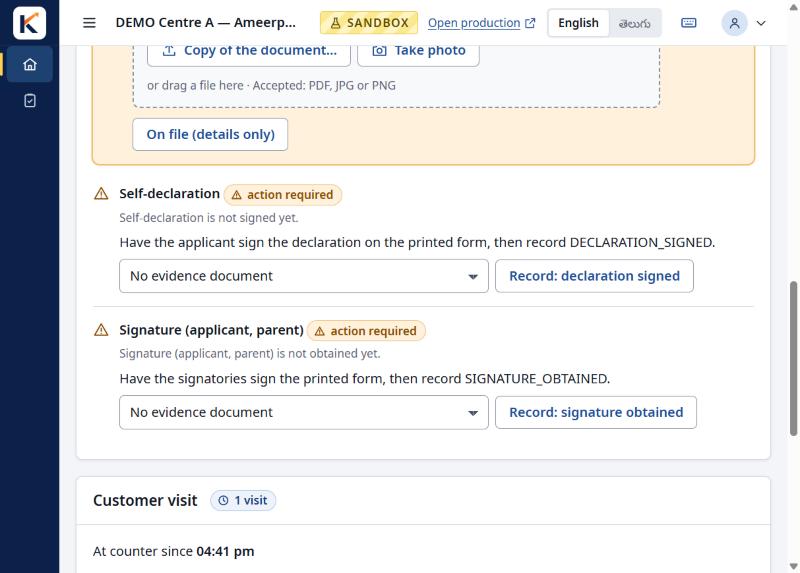
Sandbox screenshot, demo data
Your day at a glance
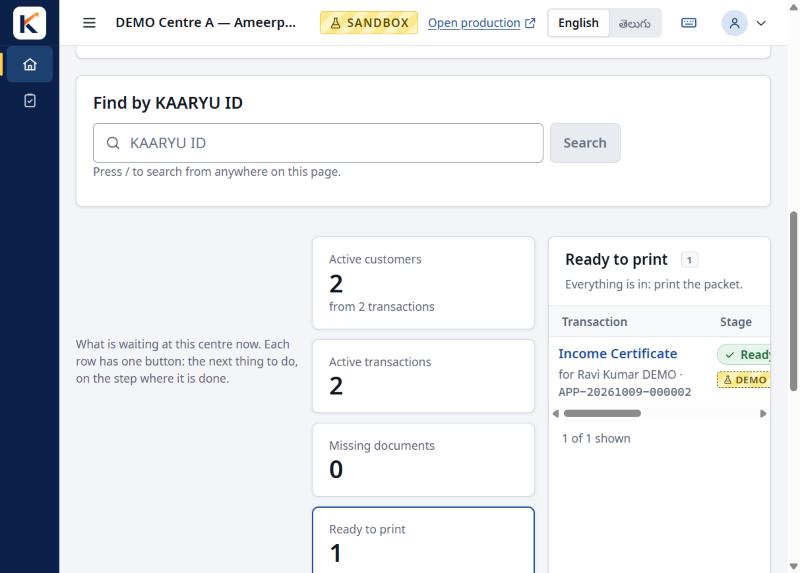
See what is waiting at your centre
The Today board shows what needs attention now: active customers and transactions, applications with missing documents, those ready to print and those pending review. Each item leads to the next thing to do, on the step where it is done.
Screenshots are from the KAARYU sandbox with demo data. Features still in pilot are marked "In pilot".
KAARYU never marks a document as verified on its own and never submits to a government system. People decide.
See it at your centre
We are inviting a small number of service centres to try KAARYU during the pilot.